




In 2025, your website isn’t just a fancy online business card—it’s your dynamic digital command centre, your sales powerhouse, your marketing engine, and your brand’s ultimate representative. Having the right foundation for your online presence is absolutely crucial for roaring success and incredible growth. That’s where a Content Management System (CMS) swoops in, making it super easy to manage your content without needing a degree in coding. And when we talk CMS, one name shines brighter than the rest: WordPress.
Powering over 43% of all websites—from The New York Times to Microsoft News—WordPress’s ubiquity proves it will continue to dominate the digital landscape for years to come. In this post, we’ll dive deep into the wordpress cms features every business needs in 2025 to thrive online.
What Is WordPress CMS? Beyond the Basics
Definition and Evolution
Launched in 2003 as a simple blogging platform, WordPress has evolved into a full-blown, open-source CMS. Today, it empowers you to create, manage, and modify website content without touching HTML or CSS—transforming complex web development into an intuitive, point-and-click experience.
How WordPress Works
At its core, WordPress acts as a bridge between your content and your site’s database. Its dashboard—your “mission control”—lets you assign user roles, design layouts, install plugins, and publish posts, all from one central location. No more wrestling with manual code for every tweak.
WordPress.org vs. WordPress.com
- WordPress.org (Self-Hosted)
- Full control over themes, plugins, and custom code
- Complete ownership of data and files
- Ideal for businesses serious about scalability
- WordPress.com (Hosted Service)
- Beginner-friendly with built-in hosting
- Limited customisation unless you upgrade plans
- For businesses aiming for a unique, professional site with unlimited scalability in 2025, WordPress.org is the clear choice.
Why WordPress Reigns Supreme for Businesses
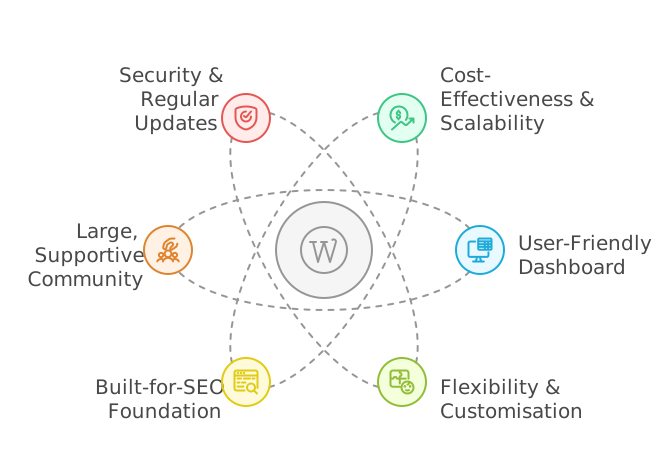
Cost-Effectiveness & Scalability
WordPress itself is free and open-source. You only pay for hosting and your domain name, then scale up resources—such as bandwidth and storage—as your traffic grows. Managed WordPress hosting providers offer optimised servers and automatic updates, making growth seamless.
User-Friendly Dashboard
The WordPress dashboard is remarkably intuitive. Whether you’re drafting a blog post or configuring site-wide settings, drag-and-drop editors and clear menus put everything at your fingertips. Team collaboration becomes a breeze with user roles—Administrator, Editor, Author, Contributor, Subscriber—each with tailored permissions.
Flexibility & Customisation
From a simple blog to a robust eCommerce store or membership community, WordPress adapts to your needs. Choose from thousands of themes for design and over 59,000 free plugins (plus premium options) to add almost any functionality imaginable.
Built-for-SEO Foundation
WordPress outputs clean, semantic code and allows SEO-friendly URLs, categories, and tags. When paired with top SEO plugins, you gain advanced features like XML sitemaps, schema markup, and on-page analysis to boost your search visibility.
Large, Supportive Community
With millions of active users, WordPress boasts an enormous community of developers, designers, and enthusiasts. Online forums, meetups, and countless tutorials mean help is always just a few clicks away. Many hosting providers also offer dedicated WordPress support.
Security & Regular Updates
Security is paramount. WordPress core is regularly updated to patch vulnerabilities, and you can bolster your defenses with reputable security plugins and responsible hosting. Combined, these measures keep your site safe from the latest threats.
Suggested reading:
What is WordPress CMS A Beginner’s Guide to Setup, Customization, and Use Cases
Core WordPress CMS Features to Master
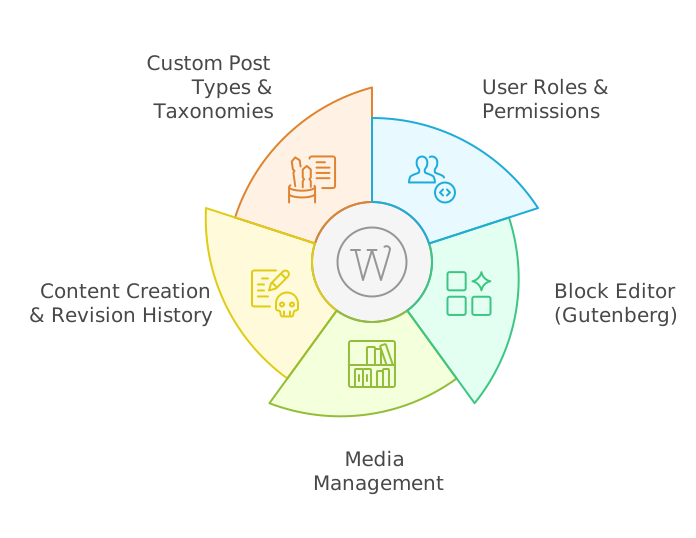
User Roles & Permissions
Assign roles to team members—Administrator, Editor, Author, Contributor, Subscriber—to control who can publish content, install plugins, or manage settings. This workflow ensures accountability and prevents accidental misconfigurations.
The Block Editor (Gutenberg)
Gutenberg transforms content creation with a block-based interface. Insert text, images, galleries, videos, buttons, and more as individual “blocks,” then rearrange them visually. Reusable blocks and patterns accelerate page building without coding.
Media Management
The Media Library streamlines uploading, organizing, and editing images, videos, and documents. Responsive image support automatically generates multiple sizes for various devices, improving load times and user experience.
Content Creation & Revision History
Drafts, scheduled posts, and autosave keep your work secure. Built-in revision tracking lets you roll back to previous versions with a single click—ideal for collaborative editing or undoing unintended changes.
Custom Post Types & Taxonomies
Beyond Posts and Pages, custom post types allow you to create specialized content—portfolios, events, products—while custom taxonomies (categories, tags) organize it all for easy retrieval and display.
The Business Toolkit: Themes & Plugins
WordPress’s true superpower lies in its ecosystem of themes (design) and plugins (functionality). To maintain performance and security, choose tools that are regularly updated, well-supported, and clearly documented. Aim for a lean plugin stack, where each component serves a distinct purpose.
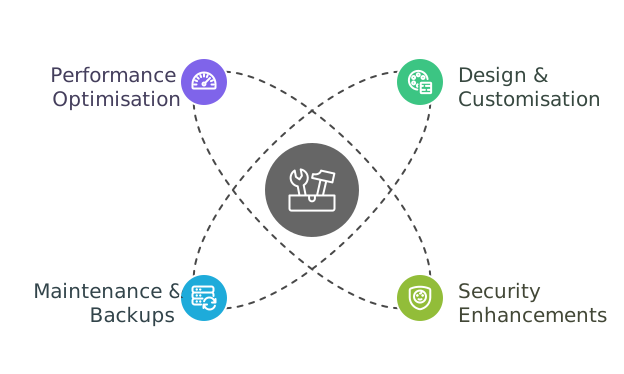
Design & Customisation Features
Modern Page Builders
Tools like Elementor and SeedProd bring drag-and-drop design to the next level. Build complex layouts, global style systems, and responsive controls—all visually, without touching code.
Theme Customiser & Full-Site Editing
The live Customiser lets you tweak colours, typography, and layouts with instant preview. Full-Site Editing (FSE) and block templates unlock even deeper control, turning themes into editable block collections.
Mobile-First & Responsive Design
With over half of global web traffic coming from mobile, a responsive, mobile-first approach is non-negotiable. Test layouts in Chrome DevTools or tools like Responsinator to ensure flawless display on every device.
Security Enhancements
Best Practices
- Enforce strong passwords and two-factor authentication (2FA)
- Limit login attempts to thwart brute-force attacks
- Serve your site over HTTPS/SSL
Must-Have Security Plugins
- Wordfence: Firewall, malware scanner, live traffic
- Sucuri: Global CDN, DDoS protection, blacklist monitoring
- Solid Security Pro (formerly iThemes): File integrity checks, vulnerability scans
Automatic Updates & Backups
Balance auto-updates for minor patches with staging-site testing for major releases. Always back up before core, theme, or plugin updates to avoid downtime if conflicts arise.
Maintenance & Backups
Backup Strategies
Store backups off-site—in cloud storage (Dropbox, Google Drive) or on a physical drive—and schedule daily or weekly snapshots based on content frequency.
Top Backup Plugins
- UpdraftPlus: Scheduled backups, remote storage destinations
- Solid Backups (BackupBuddy): Complete site migrations, restores
- Duplicator Pro: Migrations, site copies, individual file restores
Database Optimisation
Use tools like WP-Optimize or WP-Sweep to clean orphaned tables, expired transients, and post revisions—keeping your database lean and performant.
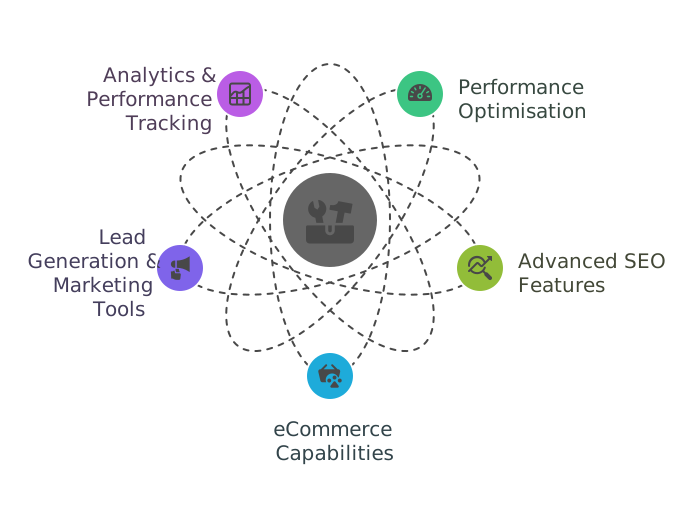
Performance Optimisation
Caching & CDNs
Implement page caching, object caching, and database caching via plugins (WP Rocket, W3 Total Cache). Pair with a CDN (Cloudflare, AWS CloudFront) to serve static assets from edge servers worldwide.
Image & Asset Optimisation
Compress images automatically using Smush or Imagify, convert to WebP, and enable lazy loading to defer off-screen media.
Code Minification & Defer Parsing
Autoptimize and WP Rocket minify and combine CSS/JS files, defer non-critical scripts, and optimize Google Fonts delivery.
Hosting & Server Tuning
Choose PHP 8+, allocate sufficient memory, and select SSD storage. Many managed hosts fine-tune servers specifically for WordPress performance.
Is Your Business Ready to Shine with Scalable WordPress Services?
Discover the power of WordPress solutions tailored for growth and impact. From bespoke design and development to security, performance, and lead generation, create a website that not only looks great but drives measurable success.
Advanced SEO Features
SEO Plugins & Key Tools
- Yoast SEO: On-page analysis, schema, breadcrumbs
- Rank Math: Advanced schema, local SEO, AI-powered suggestions
- AIOSEO: TruSEO analysis, Link Assistant
Schema & Structured Data
Implement FAQ, HowTo, Product, and LocalBusiness schema to enhance SERP appearance with rich snippets.
Local & Multi-Language SEO
Boost local visibility with Google Business integration and LocalBusiness schema. For multilingual sites, use WPML, Polylang, or Weglot to serve geo-targeted content.
AI-Driven Content & Internal Linking
Modern SEO plugins leverage AI to suggest keywords, content improvements, and internal linking opportunities—accelerating your optimisation efforts.
eCommerce Capabilities
WooCommerce Essentials
WooCommerce powers over one-third of all online stores. Manage products, inventory, payments, shipping, and taxes from a unified interface.
Extensions & Integrations
Add subscriptions, bookings, memberships, and dynamic pricing via official extensions. Connect payment gateways like Stripe, PayPal, and Apple Pay in minutes.
Alternative Platforms
For digital-only products, consider Easy Digital Downloads. If you need an external eCommerce engine, BigCommerce for WordPress offloads heavy lifting while preserving your site’s look.
Headless & API-Driven Commerce
Leverage the WooCommerce REST API to integrate with CRM, ERP, or custom front-ends—unlocking true omnichannel and headless commerce possibilities.

Suggested reading:
CRM Marketing Automation: A Complete Guide to Streamline Your Sales and Marketing
Lead Generation & Marketing Tools
Opt-in & Popup Plugins
Capture leads with OptinMonster’s exit-intent popups, two-step opt-ins, and A/B testing. Run contests with RafflePress to grow email lists and social engagement.
Form Builders
WPForms and Gravity Forms offer drag-and-drop form creation, conversational interfaces, and multi-step surveys—perfect for sales inquiries and feedback.
Social Proof Integrations
Showcase testimonials, reviews, and social media feeds—building trust and driving conversions with Smash Balloon and similar plugins.
Analytics & Performance Tracking
Google Analytics in Your Dashboard
MonsterInsights and ExactMetrics surface real-time stats, eCommerce revenue data, and user behaviour directly in WordPress—no need to switch tabs.
Heatmaps & Session Recordings
Use Hotjar or Crazy Egg plugins to visualize clicks, scrolls, and user journeys—uncovering friction points and A/B testing wins.
Core Web Vitals Monitoring
Integrate Lighthouse audits and Core Web Vitals reporting to track LCP, FID, and CLS—ensuring your site meets Google’s performance benchmarks.
Is Your Business Making the Most with Salesforce CRM?
Transform customer relationships and supercharge growth with expert Salesforce CRM services. From seamless implementation and data integration to workflow automation and performance analytics, unlock the power of personalized engagement and efficient business processes.
Troubleshooting & Community Support
Even the best-maintained sites encounter hiccups. Turn to:
- Official WordPress.org support forums and Stack Exchange
- Blogs like WPBeginner, CSS-Tricks, and Smashing Magazine
- Your hosting provider’s dedicated WordPress helpdesk
Looking Ahead: WordPress in 2025 and Beyond
WordPress is evolving into a comprehensive Digital Experience Platform (DXP). Expect richer Full-Site Editing tools, deeper marketing integrations, stronger performance under the hood, and cutting-edge AI features—automating content creation, design suggestions, and more.
WordPress’s unparalleled flexibility, scalability, cost-effectiveness, and massive community make it the top choice for businesses of every size. Now that you know the essential wordpress cms features—from core blocks and user roles to advanced security, SEO, and eCommerce toolkits—your next steps are simple:
- Choose a reliable host and install WordPress.org.
- Audit your current setup against this checklist.
- Install and configure the key plugins and themes covered here.
- Schedule regular maintenance, backups, and performance reviews.
With these features in place, your website will be ready to power your business growth in 2025 and beyond.
Dive in today, and turn your online presence into your greatest asset!
Take your website from ordinary to extraordinary with a robust WordPress foundation that empowers growth, streamlines management, and positions your brand for success. Let’s unlock your website’s full potential together.