



Your website isn’t just an online brochure—it’s your storefront, your marketing engine and often the first point of contact for prospects. Choosing the right Content Management System (CMS) will shape everything from visual design and page performance to long‑term growth, security and the quality of your customer interactions. For many small organisations, the CMS selected at launch can become a limiting factor as traffic grows, features multiply, and the online experience needs to evolve.
This guide cuts through the noise to help you compare leading CMS platforms—with a special focus on WordPress and its e‑commerce powerhouse, WooCommerce—alongside other popular options. You’ll find expert insights, best‑practice tips and clear advice on aligning your choice to your unique business goals, technical capacity and budget. By the end, you’ll know how to build a future‑proof website foundation that fuels engagement, sales and seamless customer journeys.
Mapping the CMS Landscape
A Content Management System (CMS) is software that lets you create, manage and update a website without hand‑coding each page.
Core features typically include:
- Content Editor (WYSIWYG or block‑based)
- Theme or Template Management for layout and branding
- Media Library for images, video and documents
- User and Role Management for editorial workflows
- Plugin or Extension Support to add functionality
It’s important to distinguish a CMS from a drag‑and‑drop website builder. A self‑hosted CMS (like WordPress or Drupal) gives you direct file access, unlimited extensions and hosting flexibility—it scales from simple blogs to enterprise portals. In contrast, a cloud‑hosted website builder (e.g., Wix, Squarespace) bundles hosting, security and support into an all‑in‑one package but often limits custom code, third‑party integrations and the ability to migrate off‑platform.
According to industry forecasts, the global CMS market will top $123 billion by 2026. Currently, WordPress dominates with over 60% market share, powering more than 43% of all websites. Other platforms such as Shopify, Wix and Squarespace are growing steadily—especially in e‑commerce and small business scenarios—while older open‑source solutions like Joomla and Drupal retain niche use cases but have seen slower adoption.

Why WordPress Stands Out
First released in 2003, WordPress has grown into the de facto CMS choice for businesses of all sizes. Here’s why it remains our top recommendation for most small and midsize companies:
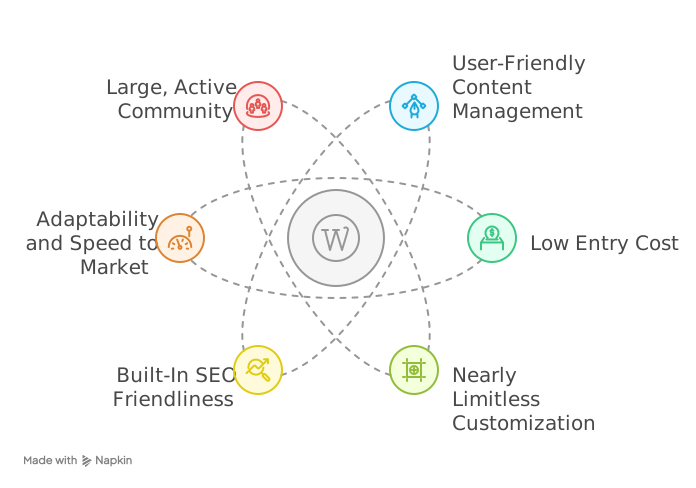
User‑Friendly Content Management
The block‑based Gutenberg Editor makes adding pages, blog posts and multimedia intuitive—even for non‑technical staff. Its familiar interface lets teams collaborate on drafts, schedule updates and maintain consistent brand styling without custom development.
Low Entry Cost
The core WordPress software is free. You’ll only pay for hosting, a domain name and any premium themes or plugins you choose. With over 50,000 free plugins available, you can launch a fully functional website or shop on a modest budget.
Nearly Limitless Customization
WordPress’s plugin ecosystem is unmatched: from SEO suites (Rank Math, Yoast, All In One SEO) to membership platforms, page builders, analytics and more. If a feature doesn’t exist out of the box, odds are someone has built a plugin for it.
Built‑In SEO Friendliness
Its core code is designed for clean, crawlable HTML and fast page loads. Add an SEO plugin, and you get keyword analysis, sitemap generation, schema markup and social metadata—all vital for organic visibility.
Adaptability and Speed to Market
Need to A/B test a landing page, spin up a microsite for an event or launch a content hub? WordPress lets you iterate designs and publish updates in minutes, so marketing teams can move fast and measure what works.
Large, Active Community
From WordCamps to local meetups to endless forums, you’ll find plugins, tutorials and support in every time zone. Frequent security patches and core updates keep your site robust against emerging threats.
Ideal for:
Blogs, corporate websites, digital agencies, non‑profits, small e‑commerce stores, and content‑driven brands.
High‑profile examples include TechCrunch, TED, BBC America and The New Yorker.
Is Your Business Ready for Seamless, Scalable Cloud Web Hosting?
Empower your online presence with robust cloud hosting that ensures speed, security, and effortless scalability. From lightning-fast load times to built-in redundancy and 24/7 support, keep your website performing at its peak—no matter how fast you grow.
Transforming WordPress into a Store with WooCommerce
If you’re moving beyond informational pages and into online sales, WooCommerce is the natural e‑commerce extension for WordPress. Developed by Automattic, this free plugin powers over 13% of all CMS‑driven sites in e‑commerce—and for good reason:
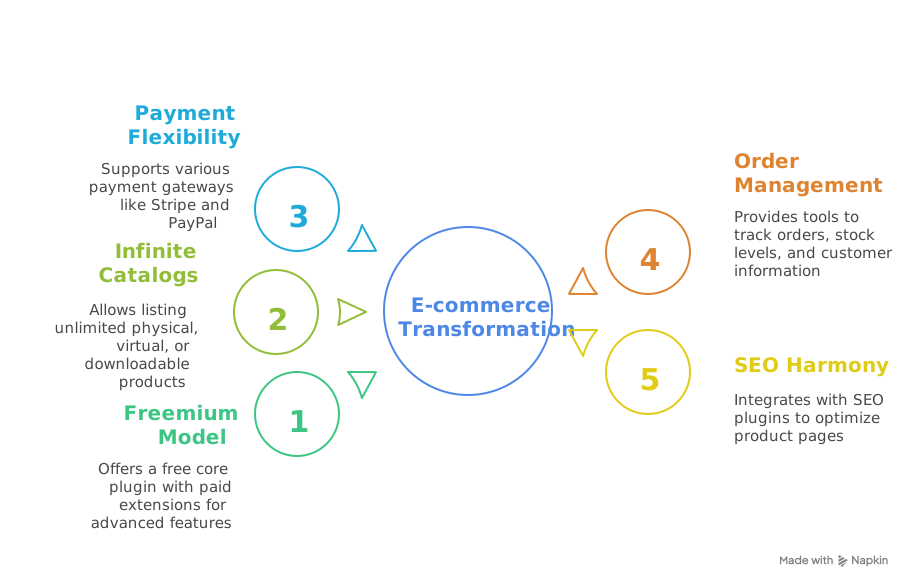
Freemium Model
The core plugin is free, with paid extensions (“add‑ons”) available for specific features (bookings, subscriptions, multi‑currency, advanced shipping rules).
Infinite Catalogs
List as many physical, virtual or downloadable products as you like.
Payment Flexibility
Order Management
Track orders, stock levels and customer information via a clear, intuitive dashboard.
SEO Harmony
Leverages the same SEO plugins as your main site, ensuring product pages are optimized alongside your blog and landing pages.
Key considerations:
- WooCommerce depends on WordPress, so you’ll need a hosting plan that can handle e‑commerce traffic—preferably managed WordPress hosting.
- While the plugin itself is free, budget for a handful of premium extensions if you need advanced shipping, subscriptions or niche payment solutions.
- Regular updates and backups are a must, as you’re handling customer data and payments.
Suggested reading:
What is WordPress CMS A Beginner’s Guide to Setup, Customization, and Use Cases
Upgrading Performance with Managed WordPress Hosting
A self‑hosted WordPress installation requires you to manage your own server stack—domain, hosting, security certificates, backups and updates. Common pitfalls include:
- Slow page speeds from shared hosting
- Security vulnerabilities if core or plugin updates lag
- Limited technical support when issues arise
Managed WordPress hosting providers (e.g., Cloudways, WP Engine, Kinsta) take these tasks off your plate:
- Automated nightly backups and one‑click restores
- Server‑level caching and CDN integration for blazing‑fast load times
- Proactive security monitoring and free SSL certificates
- Expert support from teams that specialize in WordPress
Although managed plans cost more, the performance gains, uptime guarantees and peace of mind often justify the investment for growing businesses.
Is Your WooCommerce Store Set Up for Scalable Growth and Sales?
Streamline operations, boost performance, and deliver exceptional customer experiences with tailored WooCommerce automation solutions. From inventory sync and order workflows to smart integrations and performance tuning—we help your store sell smarter, not harder.
Other Contenders: When to Consider Alternatives
While WordPress + WooCommerce is a versatile, cost‑effective combo for most use cases, it’s not the only game in town.
Here’s a quick look at other leading platforms:
| Platform | Strengths | Limitations | Best For |
|---|---|---|---|
| Shopify | Turnkey e‑commerce, built‑in payments | Monthly fees + transaction costs; code locked | Small to mid e‑stores; non‑technical SMEs |
| Wix | Drag‑and‑drop ease; AI‑driven templates | Limited code access; templates can’t be swapped | Solo entrepreneurs, portfolios, microsites |
| SquareSpace | Polished, design‑first templates | No phone support; fewer plugins; export limits | Creatives, Photographers, Small Boutiques |
| Drupal | Enterprise‑grade security; custom data | Steep learning curve; developer‑only setup | Large organizations, Government,and Universities |
| Magneto | Scalable; made for high‑volume e‑commerce | High development & maintenance cost | Enterprise retailers, large catalogues |
A Practical Framework for Choosing Your CMS
Rather than chasing the platform with the flashiest marketing, use this four‑step process:
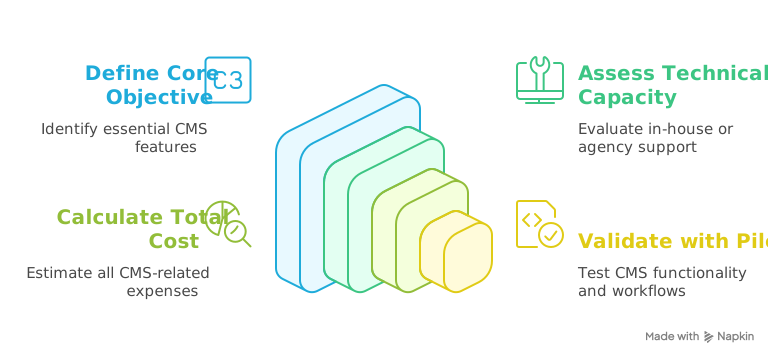
Step 1: Define Your Core Objective
- Content hub? Lead generation? Online store? Community forum?
- List “must‑have” features versus “nice‑to‑have.”
Step 2: Assess Technical Capacity
- Do you have in‑house developers, or will you rely on agencies?
- How comfortable is your team with routine maintenance (updates, backups)?
Step 3: Calculate Total Cost of Ownership
- Hosting, domain, premium themes and plugins, and developer fees.
- Factor in future growth: will you need more bandwidth, storage or expert support?
Step 4: Validate with a Pilot or Prototype
- Spin up a test site on a low‑cost plan.
- Experiment with key workflows: creating a blog post, processing a dummy sale, updating a theme.
Bonus Tip:
Engage a professional from the start. An experienced web agency or freelancer can prevent “amateur” missteps—like unoptimised images, plugin conflicts or broken layouts—that often cost more time and money to fix later.
Building Your Future‑Ready Website
Selecting a CMS is more than a technical choice; it’s a strategic decision that underpins your digital brand, marketing agility and customer experience. While the CMS market offers many options, WordPress—enhanced by WooCommerce for e‑commerce and fortified through managed hosting—remains the unrivaled all‑rounder for most businesses. Its low barrier to entry, unmatched extensibility and massive community support make it a safe, future‑proof bet.
Now we’d love to hear from you: which CMS have you selected for your business, and what lessons learned can you share? Reach out for a one‑on‑one consultation to explore your best path forward. Here’s to empowering your online presence—one smart decision at a time.
Empower your digital strategy with a flexible, scalable, and feature-rich WordPress CMS system built for business growth. From seamless content management to powerful integrations, choose a platform that evolves with your goals.